
What Does a Microswitch Look Like? Visual Identification & Physical Feature Guide
When searching for replacement components in an electrical parts catalog or troubleshooting inside an industrial control panel, fast visual identification is critical. If you are wondering, “What does a microswitch look like?”, the answer depends on whether you are looking at a bare miniature snap-action component or a fully enclosed industrial limit switch—though all share a distinct visual DNA.
Below is a complete visual guide to the physical features of a microswitch, a real-world client inspection case study highlighting why material quality matters, and a clear comparison between bare microswitches and heavy-duty enclosed position switches.
1. Real-World Client Case Study: Visual Inspection Prevents a Line Breakdown
A prominent packaging machinery builder in North America was assembling a new production run of high-speed sorting carousels. During the sub-assembly phase, a junior assembly technician pulled a box of generic, unbranded microswitches from a spare parts bin, noting that they looked visually identical to the specified engineering blueprints.
The Visual & Tactile Flaws
Upon closer evaluation by the senior quality control engineer, the switches failed a series of critical visual and physical checks:
- Housing Plastic Flaws: The generic switches were molded from low-grade, non-reinforced plastic that warped visibly under standard mounting screw torque, binding the internal spring mechanism.
- Actuator Mismatch: The pin-plunger tip lacked the precise, reinforced curvature required to withstand millions of sliding contacts from a high-speed steel cam. Under continuous operation, the unreinforced tip would shear off within weeks.
The Kacon Solution
The engineering team immediately swapped out the unbranded parts for professional-grade microswitches and limit switches from Kacon. The physical contrast was obvious: rigid flame-retardant housings, crisp laser-etched terminal markings (COM, NC, NO), and precision-engineered actuator levers designed for high-cycle industrial machinery.
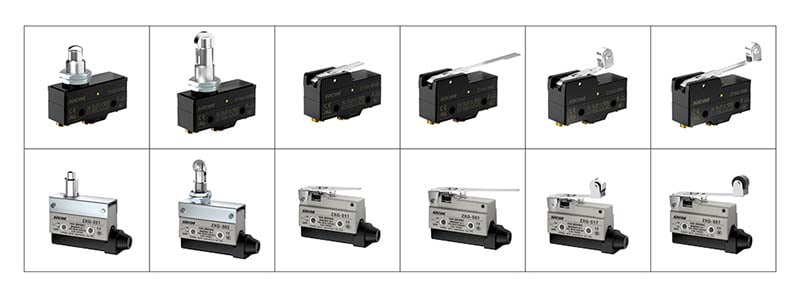
2. What Does a Microswitch Look Like? Key Physical Features
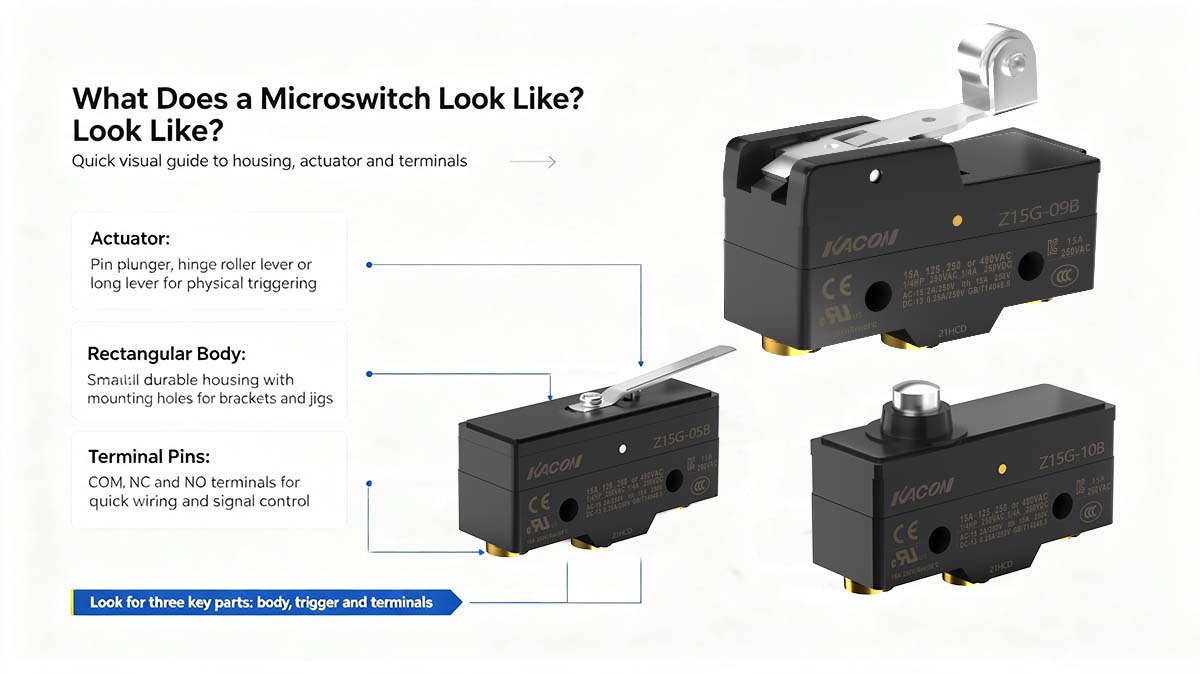
If you hold a standard microswitch (formally classified as a miniature snap-action switch under IEC 60947-5-1 Switchgear Standards) in your hand, you will observe three defining physical components:
A. The Rectangular Body (Housing)
The main body is a small, rectangular block typically molded from durable, flame-retardant engineering polymers such as glass-filled polyamide (PA66) or phenolic resin. It features two standardized through-holes molded into the housing body, allowing it to be securely bolted to machine frames, mounting brackets, or PCB jigs using small machine screws.
B. The Actuator (The Physical Trigger)
Protruding from the top or upper side of the body is the mechanism that receives physical impact from moving machinery. Common actuator shapes include:
- Pin Plunger: A small, rounded plastic or stainless steel button designed for short-stroke, direct linear actuation.
- Hinge Roller Lever: A flat metal arm equipped with a small plastic or stainless steel roller wheel at the tip, designed to smooth out friction when a rotating cam or sliding guard moves across it.
- Simulated Roller Leaf / Straight Lever: A flat, flexible metal blade designed for light-force or wide-angle motion detection.
C. The Terminal Pins
Extending from the bottom or rear edge of the switch are three flat metallic terminal pins designed for quick-connect spade terminals, direct wire soldering, or PCB mounting. According to standard electrical conventions, these terminals are clearly labeled:
- COM (Common): The main power feed input.
- NC (Normally Closed): Closed circuit loop when the actuator is at rest (Terminals 11/12).
- NO (Normally Open): Open circuit loop when the actuator is at rest (Terminals 13/14).
3. Microswitch vs. Enclosed Limit Switch: Visual Comparison
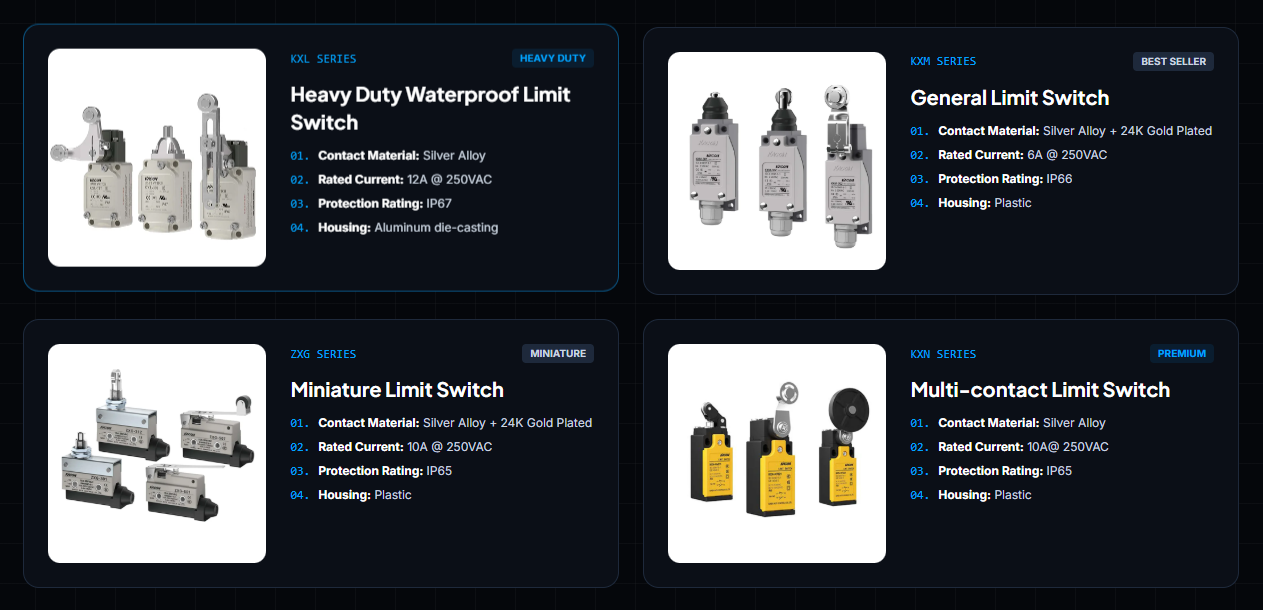
In field applications, bare microswitches are often confused with fully enclosed limit switches. Use this physical visual comparison matrix to distinguish between them:
| Switch Type | Visual Appearance | Typical Housing Material | Primary Industrial Use Case |
|---|---|---|---|
| Bare Microswitch | Ultra-compact, rectangular, exposed metallic terminal spade blades, delicate actuator lever. | High-Grade Engineering Plastic (PA66 / Phenolic) | Embedded inside appliances, door latches, internal jig positioners, and compact control boxes. |
| Enclosed Position Switch (e.g., Kacon KXM / ZXG) |
Compact molded box with a sealed cover, internal screw terminals, and a heavy-duty actuator. | Reinforced Plastic Enclosure (NEMA 250 / IP65–IP66) | General factory automation, packaging lines, and conveyor sorting gates. |
| Heavy-Duty Limit Switch (e.g., Kacon KXL Series) |
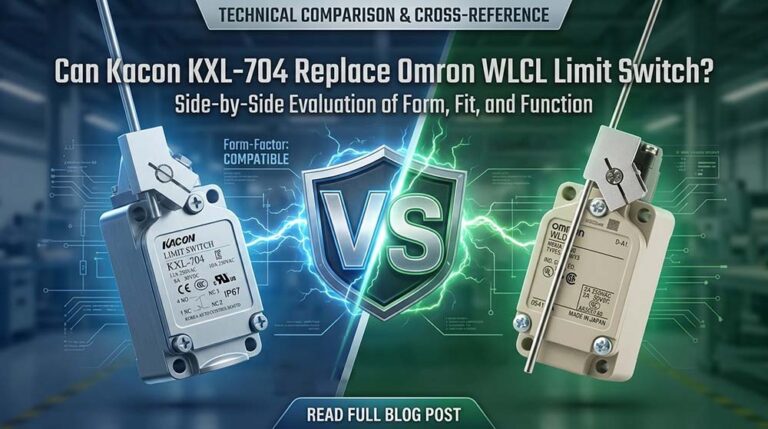
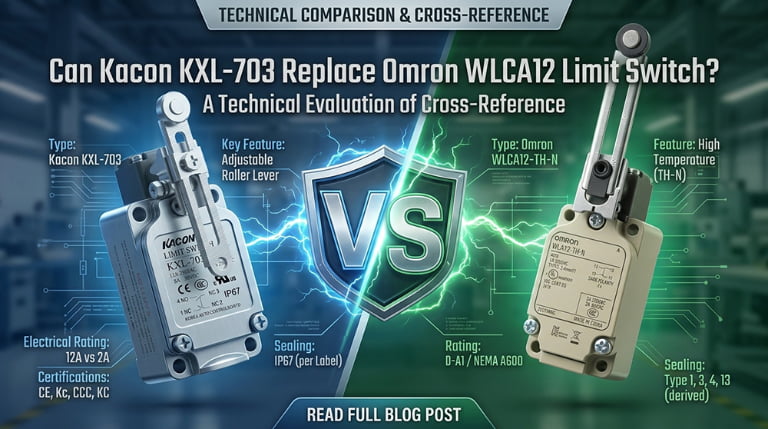
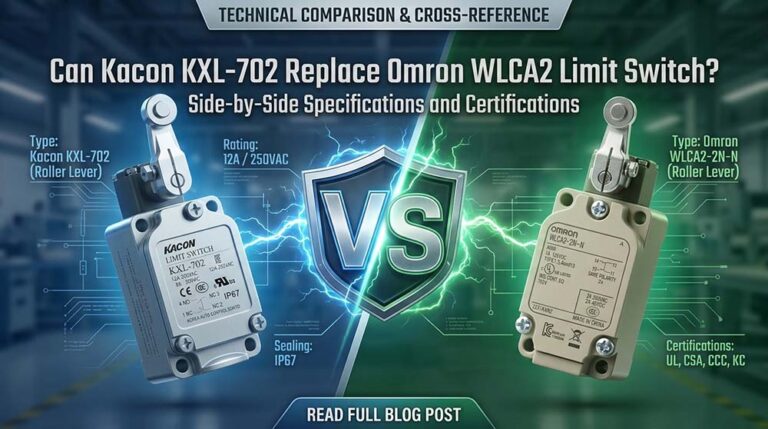
Large metallic block, heavy rotary/plunger arm, rubber cable gland entry port. | Die-Cast Aluminum Alloy (IP67 Oil/Water Resistant) | CNC machine overtravel limits, heavy stamping presses, and harsh washdown environments. |
4. Beyond the Surface: Why Internal Contact Metallurgy Matters
While external appearance reveals a switch’s mounting style and physical footprint, its true operational life is determined by the internal electrical contact materials.
In modern industrial control panels, microswitches regularly interface with Programmable Logic Controllers (PLCs) operating on micro-loads (24V DC at currents under 10 mA). Generic switches manufactured with standard silver-alloy contacts tend to build up microscopic oxidation over time. Because 24V DC signals carry insufficient energy to create a cleaning arc, this oxidation layer blocks signal flow, causing false “Open Circuit” faults on the PLC.
To ensure lifelong electrical continuity, high-reliability switches like Kacon’s precision switch series utilize Ag alloy / 24K Au Plate (gold-plated) contacts. Because gold is chemically inert, it prevents oxide formation, keeping internal electrical bridges clean and conductive over millions of operating cycles. For guidance on evaluating low-voltage switch circuits, refer to Fluke’s Technical Guide to Continuity Testing.
Conclusion: Identifying Industrial Quality at a Glance
What does a microswitch look like? Externally, it is a compact, rectangular block equipped with a sensitive mechanical actuator lever and three clearly marked terminal blades (COM, NC, NO). Internally, however, its performance is defined by precision assembly and high-grade contact materials.
By learning to recognize key physical indicators and specifying trusted hardware such as Kacon gold-contact microswitches, system integrators ensure that every installed component looks right, fits right, and delivers reliable performance year after year.
External Technical References & Standards
For additional details regarding switch enclosure ratings, electrical terminal identification, and safety standards, review these authoritative technical resources:
- IEC 60947-5-1 Low-Voltage Switchgear and Controlgear Specifications
- NEMA 250 Standard for Electrical Equipment Enclosures
- ISO 13849-1 Machine Safety Guidelines – Safety-Related Parts of Control Systems
- Fluke Technical Guide: Testing Electrical Continuity with Digital Multimeters
- OSHA General Industry Regulations for Machine Guarding