
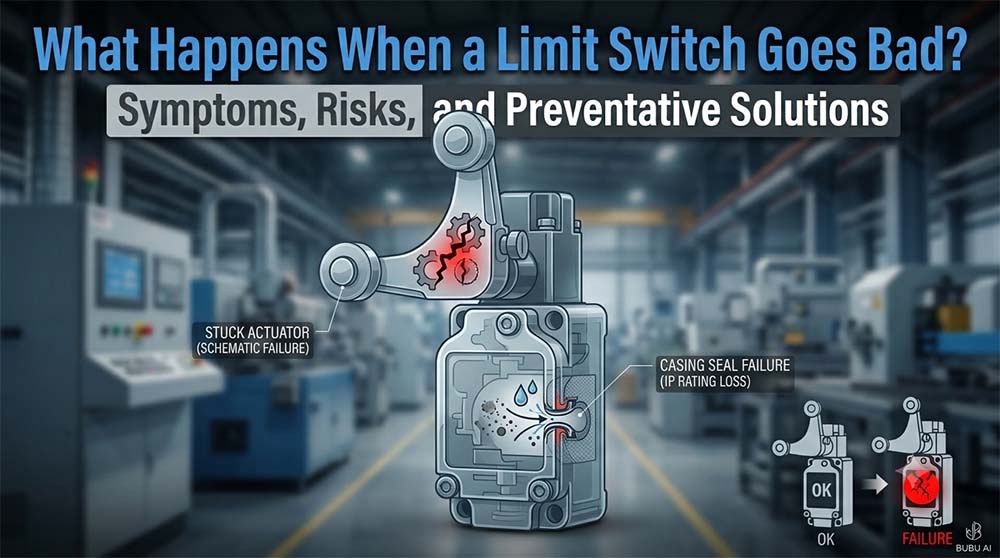
When a limit switch fails, the control system loses its physical reference point. This disruption in the discrete feedback signal typically results in one of two scenarios: either the machine refuses to operate at all, or worse, it fails to stop when it should, leading to severe mechanical collisions and safety hazards. Let’s explore the immediate symptoms, root causes, and technical solutions to prevent these operational failures.
1. The Immediate Symptoms of a Bad Limit Switch
Depending on whether the internal contacts fail in an “Open” or “Closed” electrical state, a malfunctioning limit switch produces distinct symptoms on the factory floor:
- The Machine Will Not Start (False Open): If internal contacts are oxidized, broken, or jammed open, the PLC receives a continuous “0” (OFF) signal. The safety circuit interprets this as a hazard (e.g., detecting an open safety guard). The system locks down, causing costly production downtime.
- Erratic or Intermittent Operation (Signal Bounce): When the switch actuator is bent or internal springs lose tension, the switch may rapidly flutter between ON and OFF due to machine vibration. The PLC receives erratic pulses, causing the machine to stutter, pause randomly, or trigger false error codes.
- Catastrophic Overtravel (Welded Contacts): This represents the most dangerous failure mode. High electrical surge currents can cause internal metal contacts to micro-weld together, leaving the switch permanently “Closed” (ON). When the axis reaches its physical limit, the PLC never receives the stop command, causing the carriage to crash through mechanical stops.
To mitigate these risks, global machine safety guidelines—such as the ISO 13849-1 Standard for Functional Safety—mandate rigorous design practices and failure-resistant control circuits to ensure predictable, safe outcomes even under hardware fault conditions.
2. Root Causes of Failure and the Gold-Contact Solution for Limit Switch
Why do limit switches fail? Beyond natural mechanical wear from exceeding rated operation lifecycles, the primary culprits in industrial environments are environmental ingress and micro-current contact oxidation.
The Micro-Current Oxidation Problem
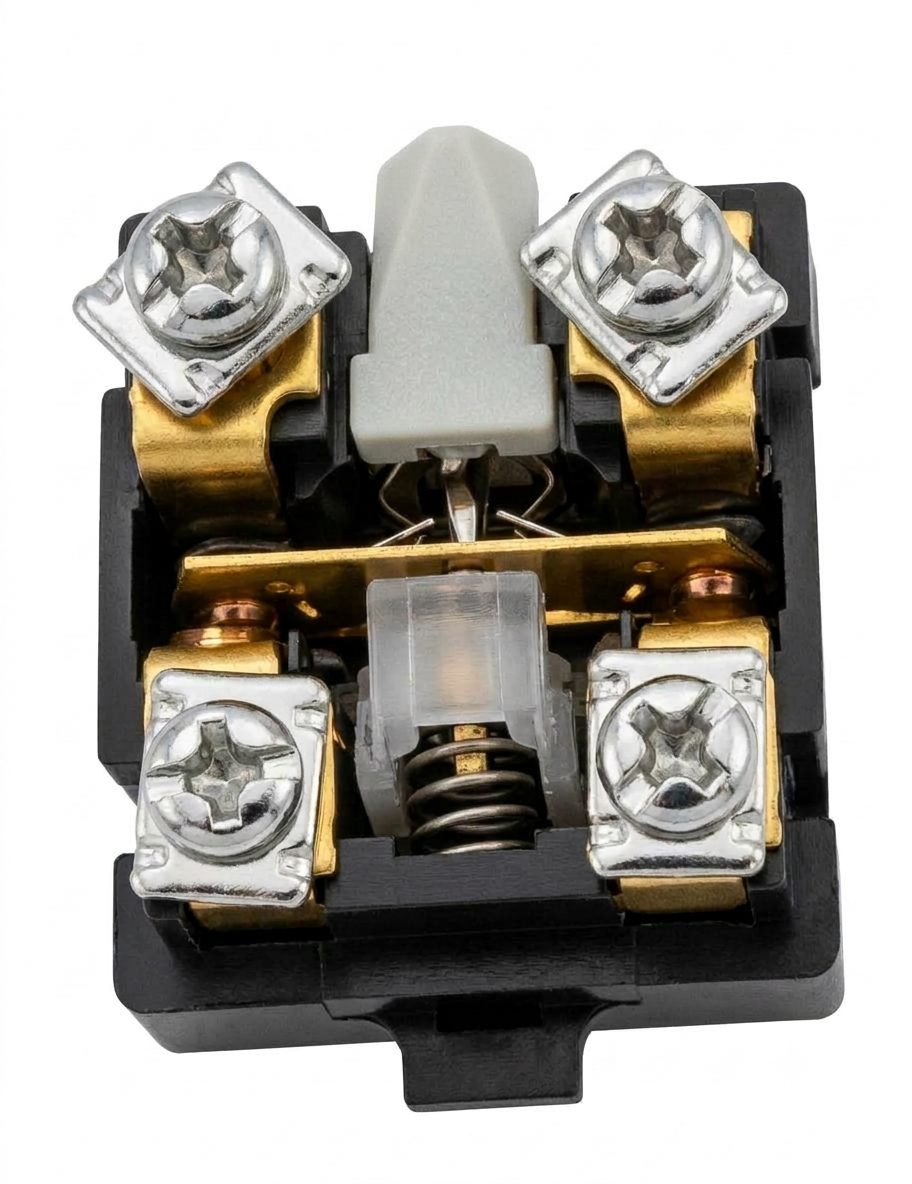
In modern automation, limit switches feed discrete signals to PLC digital inputs using low voltage and low current (typically 24 VDC at <10 mA). Standard silver contacts rely on high-current electrical arcing (power switching) to burn away naturally forming oxide and sulfide layers.
In low-current PLC input loops, arcing never occurs. The silver surface oxidizes, creating an insulating barrier. The switch mechanically clicks, but the electrical signal fails to reach the PLC input, causing false machine faults.
To prevent such switching anomalies, control components are typically evaluated against electrical safety and performance standards like IEC 60947-5-1 for Low-Voltage Control Devices, which defines strict operational parameters for electromechanical switches.
Engineered Prevention with Kacon
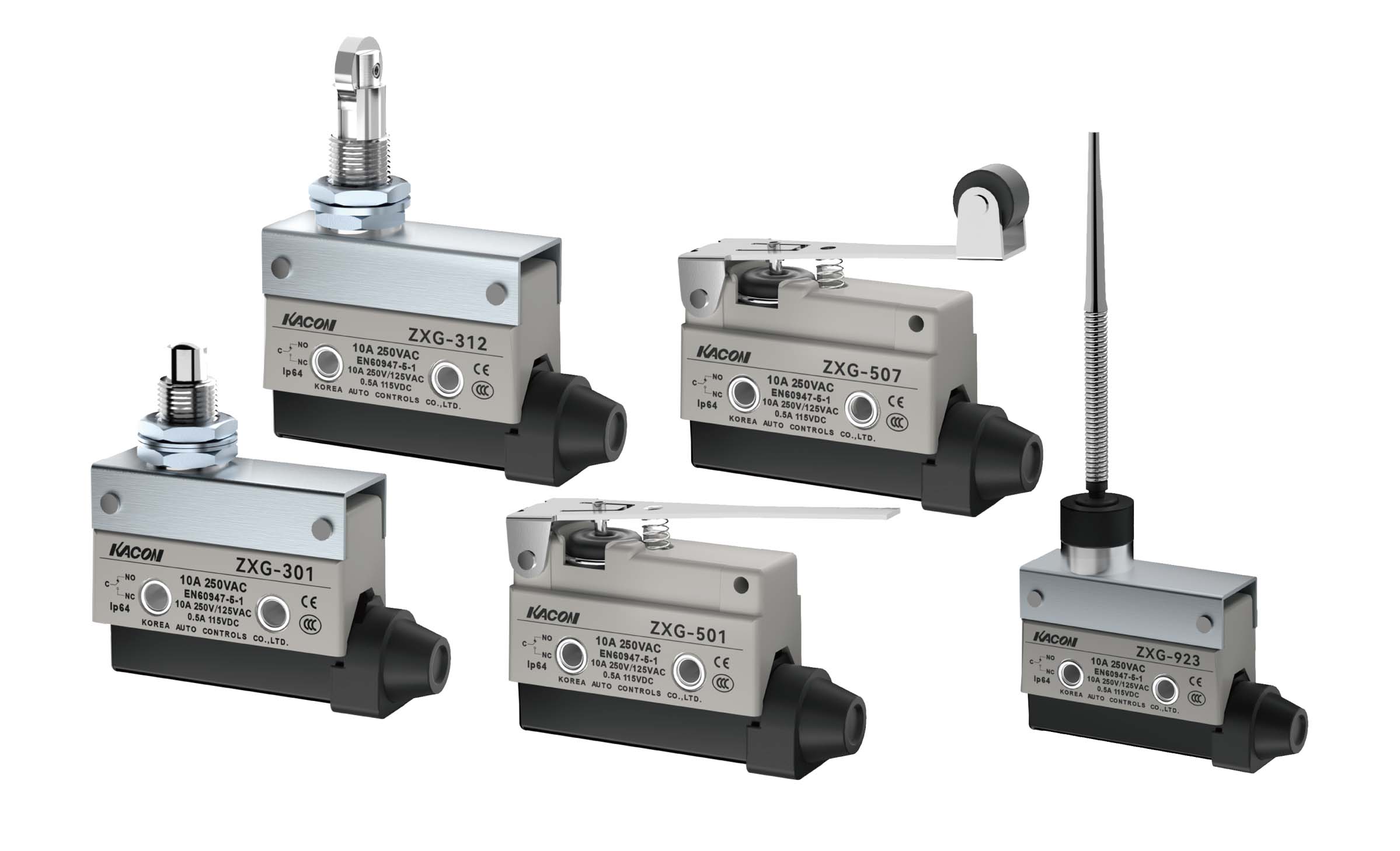
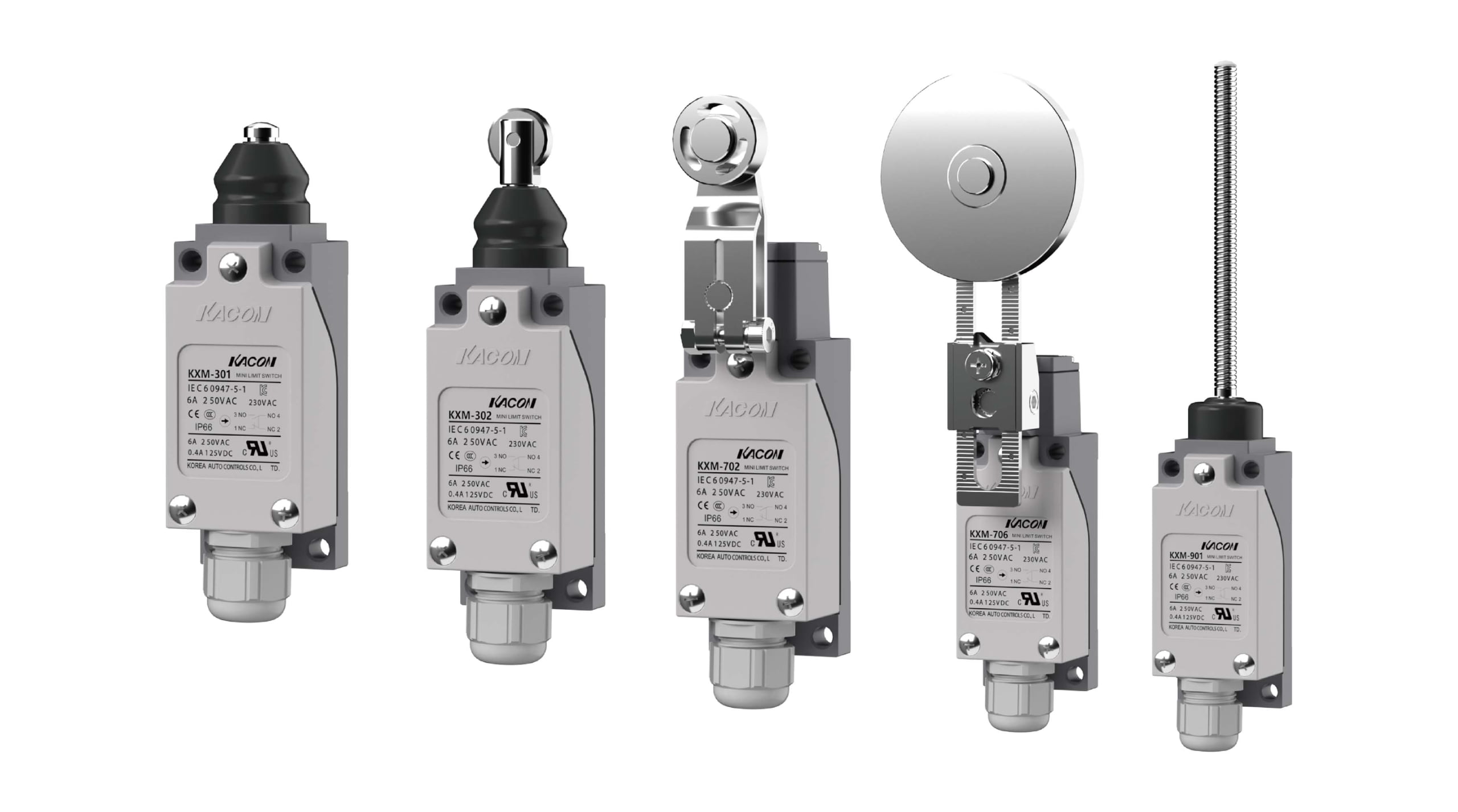
To eliminate contact oxidation, high-reliability switches utilize non-reactive noble metals. Switches such as the Kacon ZXG and KXM Series feature Ag Alloy / 24K Gold-Plated (Au) contacts. Gold does not oxidize, ensuring zero signal degradation and stable low-load performance across a 10,000,000-operation mechanical lifespan.
3. Limit Switch Failure Mode & Hardware Solution Matrix
To assist maintenance teams in diagnosing limit switch issues and selecting reliable replacement hardware, the following table matches common failure modes with specialized Kacon industrial solutions:
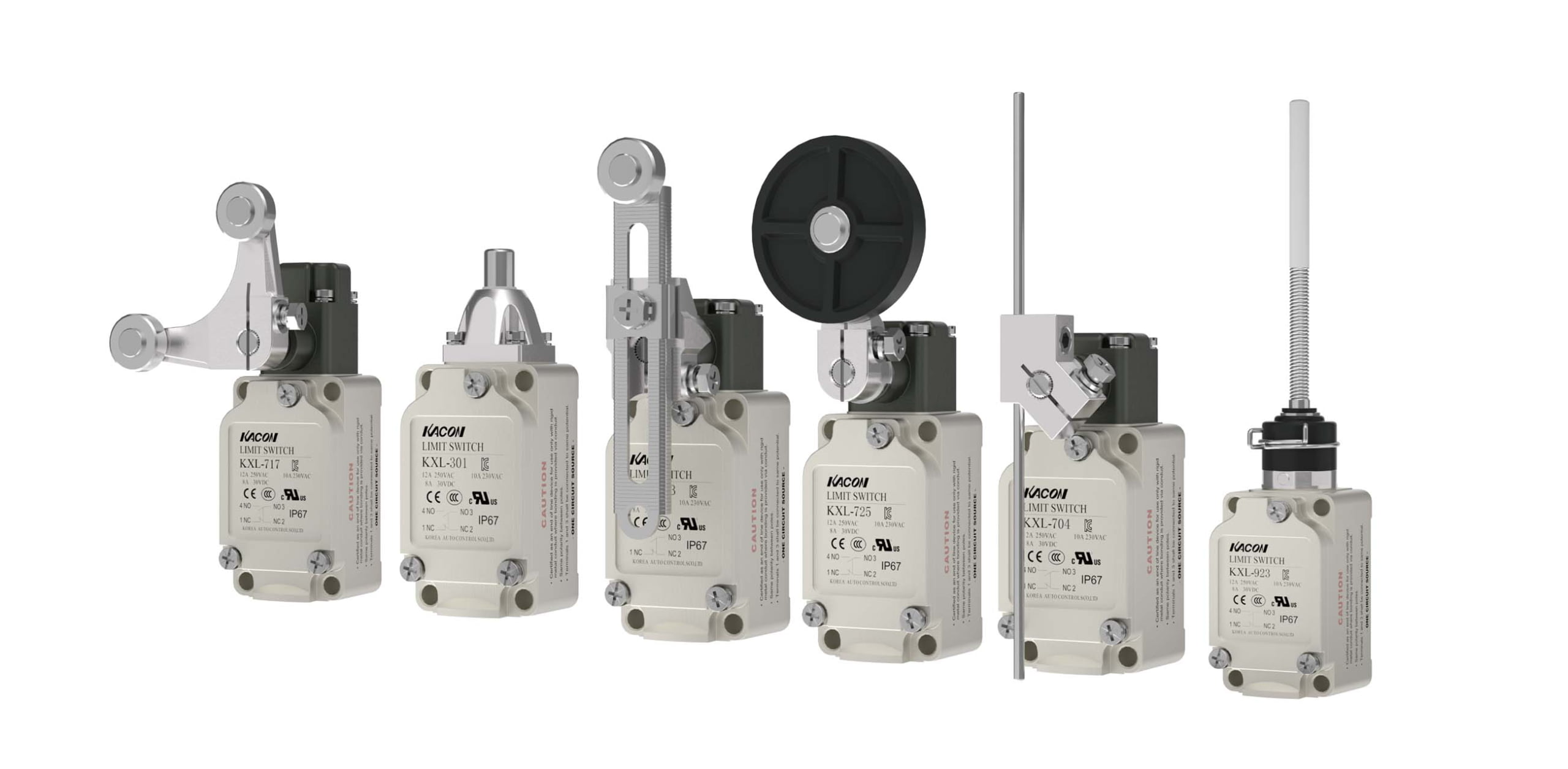
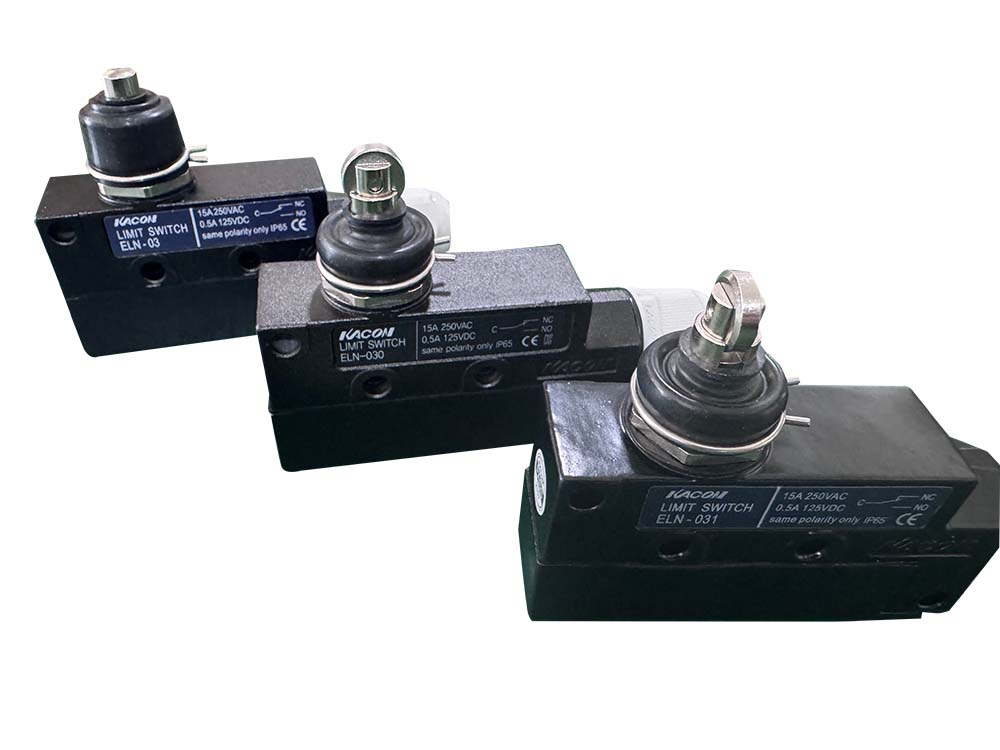
| Kacon ZXG Series | Kacon KXM Series | Kacon KXL Series | Kacon ELN Series |
|---|---|---|---|
 |
 |
 |
 |
| Failure Symptom | Most Likely Root Cause | The Consequence | Recommended Kacon Solution |
|---|---|---|---|
| PLC reads “OFF” when actuated | Contact oxidation due to low-current PLC loads. | Machine refuses to start; false E-Stop faults. | Upgrade to ZXG or KXM Series with 24K Gold-Plated Contacts for oxidation-free signaling. |
| Contacts weld together (Permanently “ON”) | Electrical short circuit or exceeding rated current limits. | Machine overtravels and crashes into mechanical stops. | Select Safety Switches with Forced Disconnection (Positive Opening) to mechanically shear welded contacts apart. |
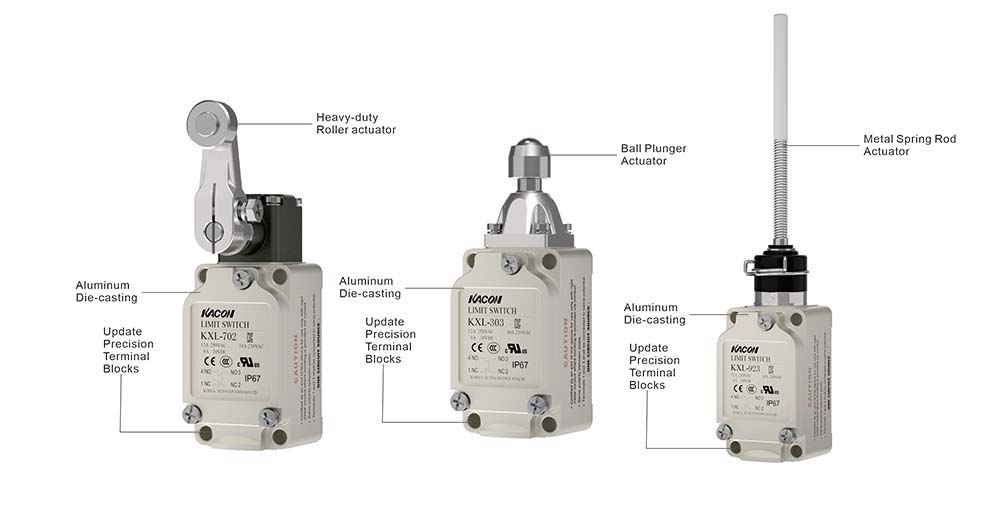
| Internal short circuit / Water damage | Coolant, water, or oil ingress penetrating internal housing. | Tripped circuit breakers, erratic signals, total failure. | Upgrade to KXL Series (IP67) or ELN Series (IP68) featuring sealed aluminum die-cast housings designed in accordance with NEMA Enclosure Ratings for harsh industrial protection. |
| Actuator arm snaps or bends | Target object striking the switch at excess speed or incorrect angle. | Switch fails to actuate mechanically. | Adjust target cam approach angle (≤30°) and install heavy-duty Roller Lever actuators following ANSI B11 Machine Guarding Safety Standards. |
4. How to Test for a Bad Limit Switch
If you suspect a limit switch in your control circuit has failed, perform the following diagnostic steps using a standard digital multimeter:
- Power Down & Lockout: Isolate electrical power and follow standard workplace OSHA Lockout/Tagout (LOTO) Procedures to safely isolate all energy sources before removing protective covers.
- Configure Multimeter: Set your digital multimeter to the “Continuity” or “Resistance (Ω)” measurement mode.
- Test Normally Closed (NC) Terminals: Connect probes across the NC contacts. The meter should read near zero ohms (<0.5 Ω). Manually depress the actuator lever; resistance should instantly jump to infinity (O.L).
- Test Normally Open (NO) Terminals: Connect probes across the NO contacts. The meter should read infinity (O.L). Manually depress the lever; resistance should drop to near zero ohms.
- Analyze Results: If resistance on closed contacts fluctuates, reads high (>2 Ω), or fails to change state when actuated, the internal contacts are oxidized or mechanically damaged, requiring switch replacement.
Conclusion: Protecting Industrial Circuits with Quality Hardware
When a limit switch goes bad, it impacts both operational productivity and personnel safety. While limit switches are minor hardware investments compared to overall machine costs, a single failure can lead to severe mechanical damage and unscheduled downtime.
By identifying early symptoms and specifying heavy-duty, application-matched hardware—such as the IP67-rated Kacon KXL Series or gold-contact ZXG Series—you ensure consistent control feedback and high system reliability across millions of production cycles.